
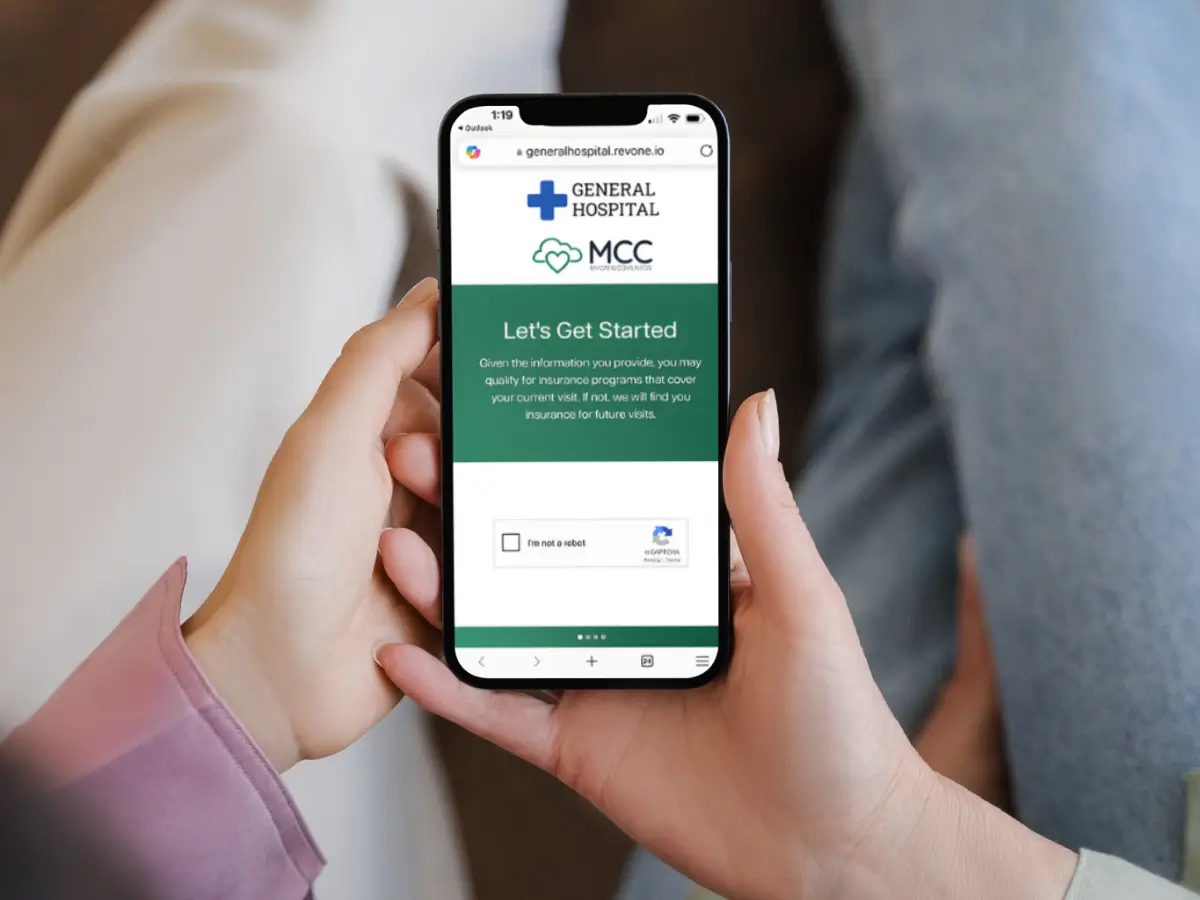
What if your hospital could identify, screen, and enroll uninsured patients into coverage — before they ever left the building?
That’s exactly what RevOne’s MyCareCoverage (MCC) platform does. It’s fast, patient-friendly, and built for how modern hospitals operate.
This article breaks down how MCC works — and why it’s become RevOne’s most powerful, results-driven tool for turning uncompensated care into covered revenue.
📱 Step 1: Identify Uninsured Patients — Early
It starts at the point of care. When hospital staff or RevOne partners flag a patient as uninsured or underinsured, MCC kicks into gear.
With just a few inputs — name, birthdate, mobile number — the system can begin guiding the patient through a secure digital screening process.
No apps. No logins. Just fast access from any device.
🧠 Step 2: Screen for Every Possible Option
The MCC Screening Engine instantly evaluates eligibility across:
- ✅ State Medicaid programs (including QMB, SLMB, and QI)
- ✅ ACA/Marketplace plans, including qualifying life events (QLEs)
- ✅ Medicare options (Parts A–D, Duals, and Medigap)
- ✅ Accident-based coverage (Auto, Worker’s Comp, Slip & Fall)
- ✅ Financial assistance, including charity and payment plans
🧩 “MCC is a universal solution accessible by any device to help patients find and enroll in health coverage… whether it’s before, during, or after services are rendered.”
— Page 2, RevOne MyCareCoverage Brochure
This wide-net approach means fewer missed opportunities and more revenue captured.
📂 Step 3: Collect Docs & Submit — Digitally
Once eligibility is confirmed, patients or their advocates can upload required documents right in the MCC portal. Documents are securely routed to your hospital’s financial assistance team — or to RevOne specialists — for fast processing.
No more chasing down paperwork, printing forms, or delaying coverage due to clerical bottlenecks.
🤝 Step 4: Enrollment with a Human Touch
If a patient needs help, RevOne’s team of bilingual patient advocates steps in — by phone, text, or email — to:
- Walk patients through complex applications
- Answer questions about Medicaid, Medicare, or ACA
- Assist with financial assistance forms
- Follow up on status and next steps
This hybrid model blends tech + empathy — one of the reasons hospitals see such high engagement and conversion rates.
💡 Step 5: Convert Uninsured Care into Covered Revenue
Once a patient is approved:
- Hospital teams are updated within the MCC portal
- Claims are billed to Medicaid, Medicare, ACA, or other appropriate payer
- Patient balances are often eliminated (especially under QMB and Dual plans)
🏥 “Providers saw full Medicare and Medicaid payment with $0 patient responsibility. Coverage was secured quickly — helping patients get the care they needed without delay.”
— Case Study, Perfiniti Medicare Enrollment
🔁 Step 6: Ongoing Outreach & Engagement
Patients who don’t complete enrollment on their own receive automated text/email nudges — and a real person follows up if needed. MCC’s built-in outreach engine keeps patients engaged without burdening your internal team.
And because the platform is cloud-based, teams can access real-time status updates from anywhere.
🔍 Why It Works
MyCareCoverage was designed with both patients and providers in mind.
✅ For Hospitals:
- Reclaims revenue from patients who otherwise would’ve been written off
- Reduces bad debt and uncompensated care
- Saves time for staff by streamlining documentation
- Improves compliance and enrollment accuracy
✅ For Patients:
- Removes fear, confusion, and complexity
- Connects them to coverage that fits their situation
- Respects their time and dignity
- Provides human support when it’s needed most
🚀 Up Next in the Series:
Stay tuned for Blog #3:
📚 “Real Patients. Real Impact: MyCareCoverage in Action”
We’ll share patient stories — including one who resumed cancer treatment after MCC got her covered — and the impact MCC had on both health outcomes and hospital revenue.
Ready to see MCC in action?
Let us show you how we help get every patient insured — and every dollar recovered.
👉 Schedule a demo